1. Local Quick Operation Procedure (On-site Panel)
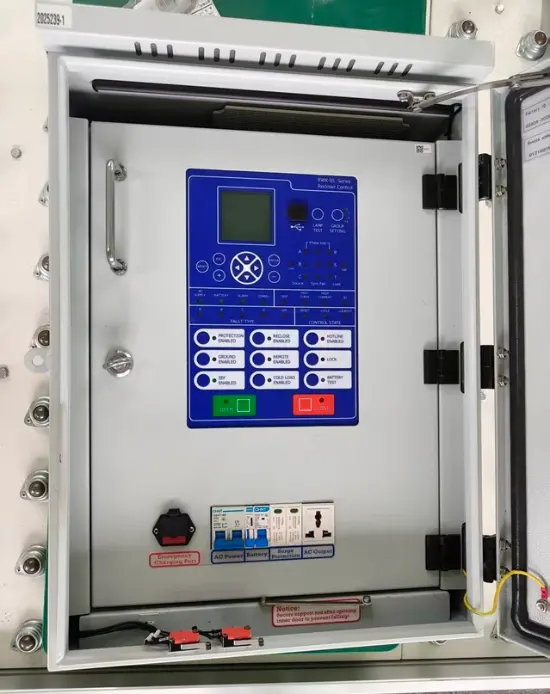
Step 1: Open the Control Cabinet
Use the standard cabinet key to unlock the controller and open the door.
Step 2: Power Check and System Status
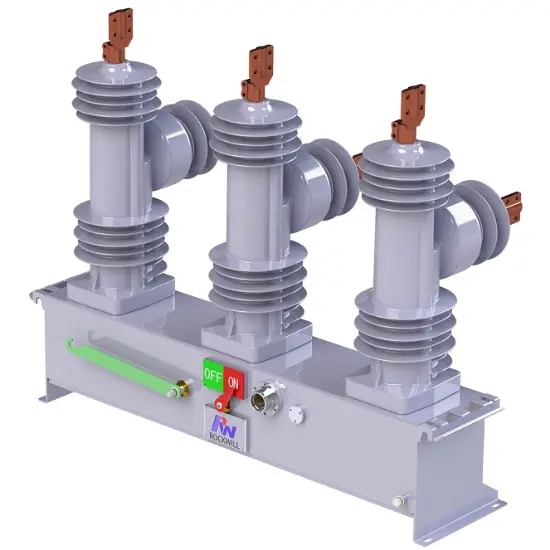
Step 3: Manually Open or Close the Recloser
To open (trip) the circuit: press the “OFF” button.
Wait for the LED or screen to confirm the recloser is open.
After clearing the fault, press the “ON” button to reclose.
Step 4: Switch Operation Mode
Use the mode selector switch or HMI setting to choose “Manual” or “Auto” mode.
In “Auto” mode, the recloser will automatically execute its reclosing logic after faults.
Step 5: Reset After Lockout (if applicable)
If a fault lockout has occurred, press the “RESET” button.
Confirm that lockout indicators are cleared before re-energizing.
2. Remote Quick Operation Procedure (Via SCADA/RTU)
Step 1: Confirm Connection
Ensure the recloser is communicating via SCADA using GPRS, 4G, or fiber. The remote interface (SCADA/DMS) must show online status.
Step 2: Send Remote Control Commands
Step 3: Monitor Live Data
Observe real-time values such as current, voltage, fault alarms, and breaker position from the SCADA interface.
Step 4: Remote Reset (if available)
If lockout occurs and remote reset is enabled, send the “Reset” command.
Otherwise, reset must be performed locally.
3. Summary of Key Actions
To Open (Trip): Press “OFF” on HMI or send “Open” via SCADA
To Close (Reclose): Press “ON” on HMI or send “Close” via SCADA
To Switch Mode: Set the selector to “Auto” for automatic reclose, “Manual” for local control
To Reset Fault Lockout: Press “RESET” on HMI after fault clearance
To Monitor Status: Check HMI screen or SCADA dashboard for live breaker status and fault indicators
4. Important Notes
Always confirm the system is free from faults before reclosing.
In Auto mode, the recloser may automatically reclose based on configured time-delay sequences.
Ensure safety protocols and PPE are followed at all times.
Protection settings and reclosing sequences should be pre-configured using authorized software tools.

 Login
Login